How KartIO works: photograph, check, publish everywhere
From cards on your desk to listings on every platform you sell on, in three steps. The AI does the typing, the sync keeps everything up to date, and you stay in control.
Photograph
One card per photo from your phone (sports cards front and back). Drag the photos into the app; the AI starts at once in the background.
Check
The AI fills in the card, its price and its listing texts. You approve the sure cards with one click and fix the ones marked ⚠️.
Publish everywhere
Pick the platforms and KartIO lists every card on each of them. Sales come back with the sync, and sold cards come down everywhere else.
1. Photograph
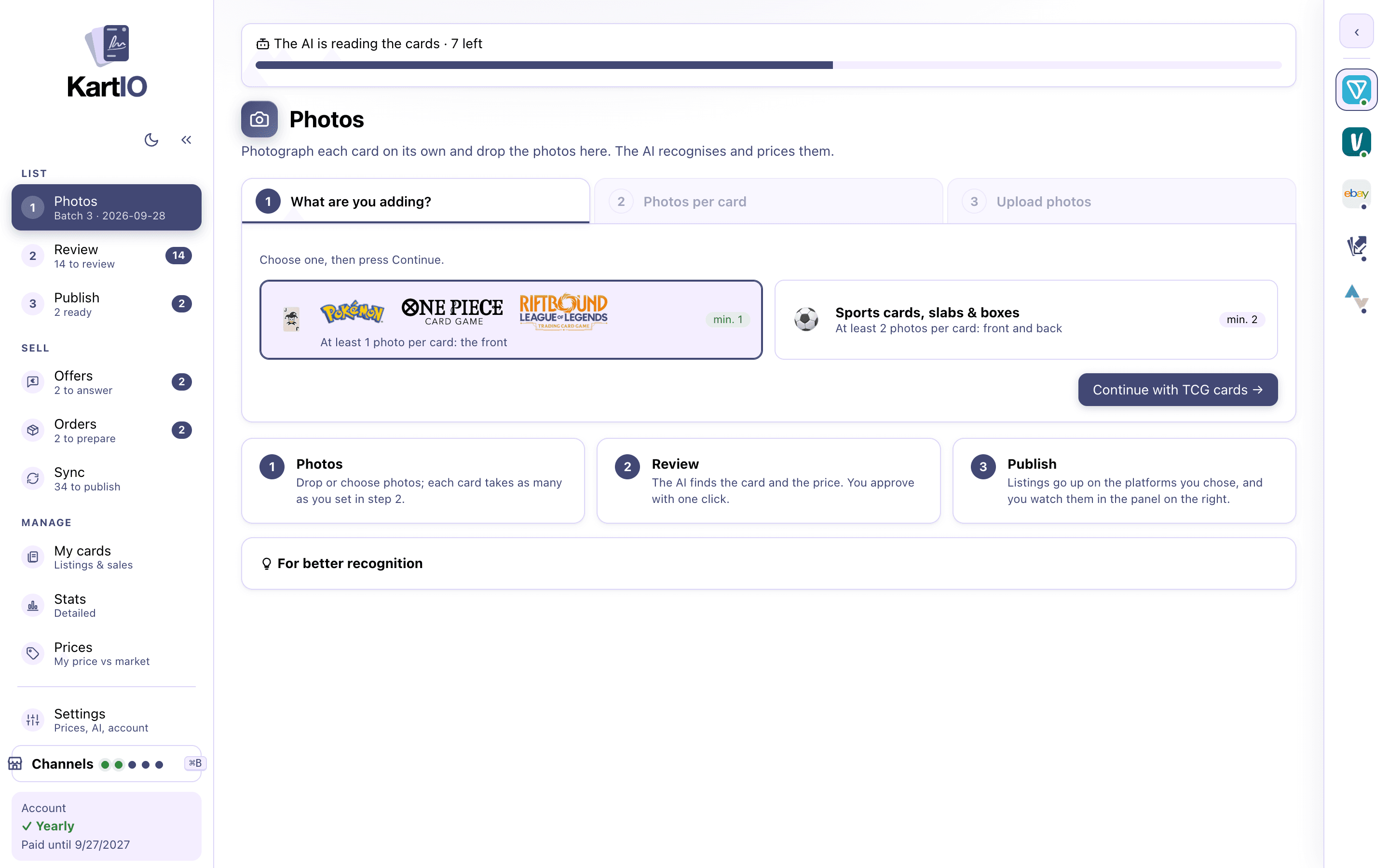
One card per photo, with your phone, on a plain background. Drag the photos (HEIC, JPG, PNG) onto the Photos screen. They go into a batch and the AI starts at once in the background.
2. Check
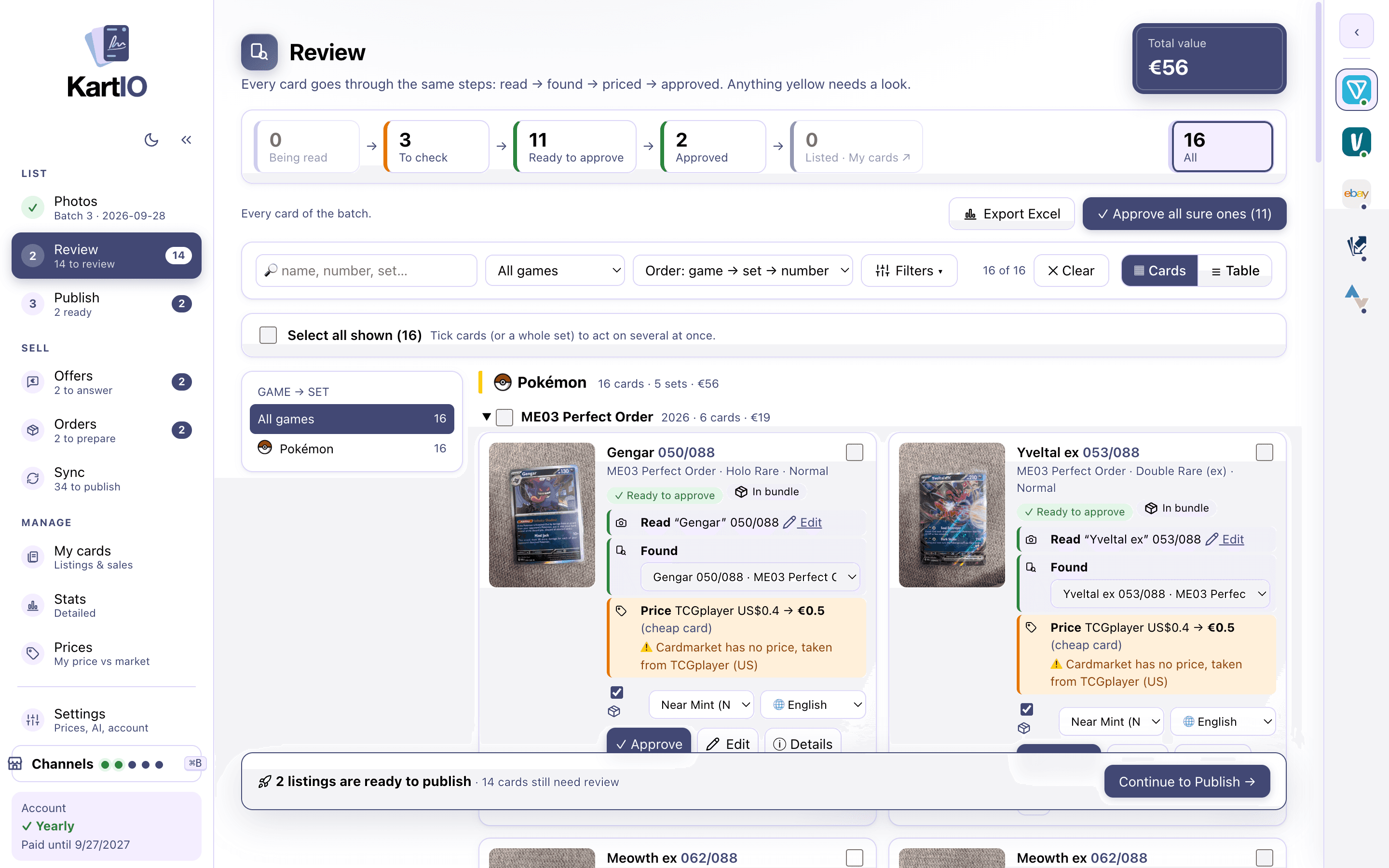
Each card comes with name, number, set, rarity, variant, language and price, and says what needs a look. Approve the sure ones all at once, edit the ones marked ⚠️ beside their photos and bundle the cheap ones.
3. Publish everywhere
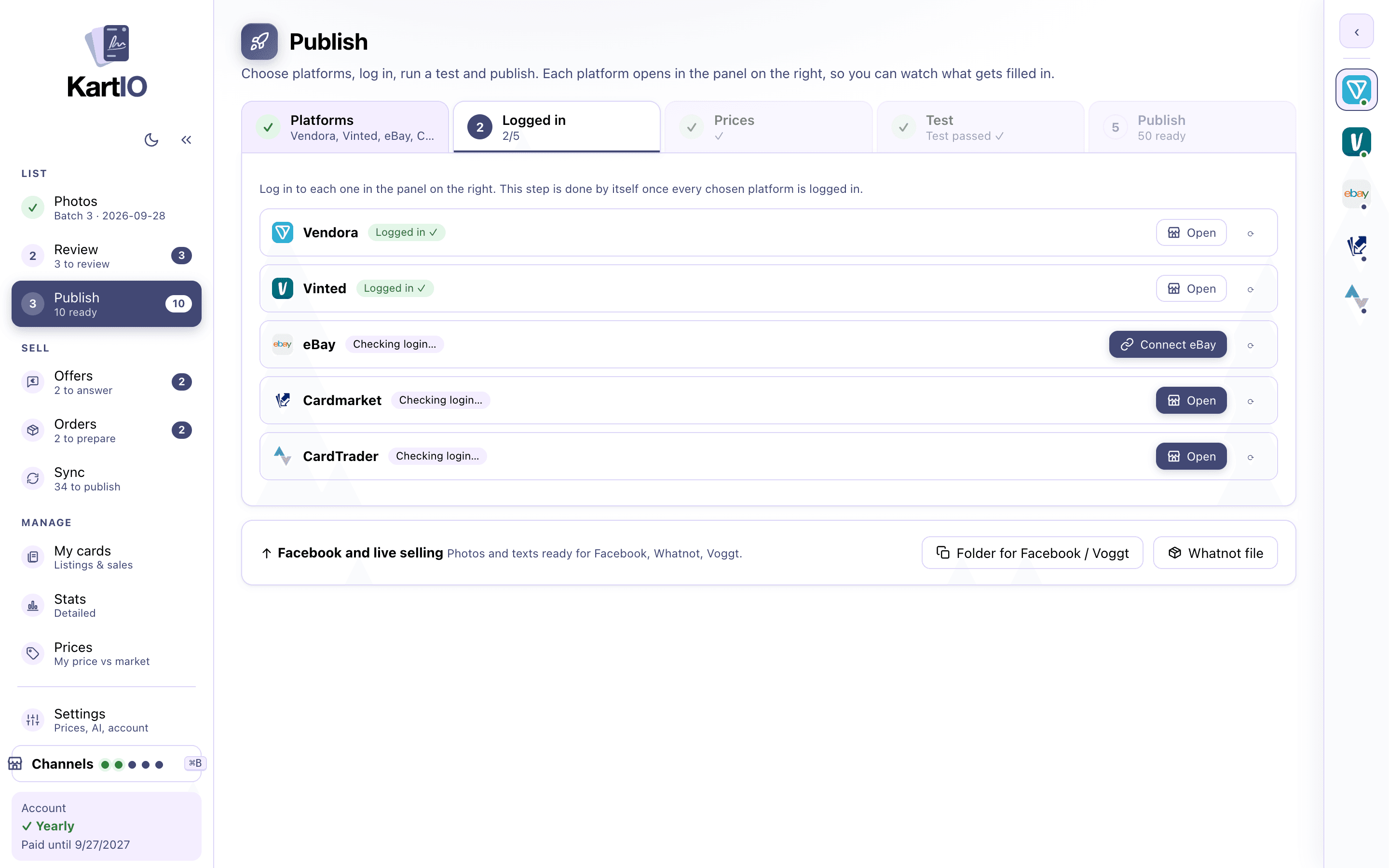
Five steps, one action each: pick the platforms, log in, check the prices, run a test, publish. The test tells you which card it tried and what to fix. Each platform gets its own listing, in its own language, one card after the other.
4. Sync and reprice
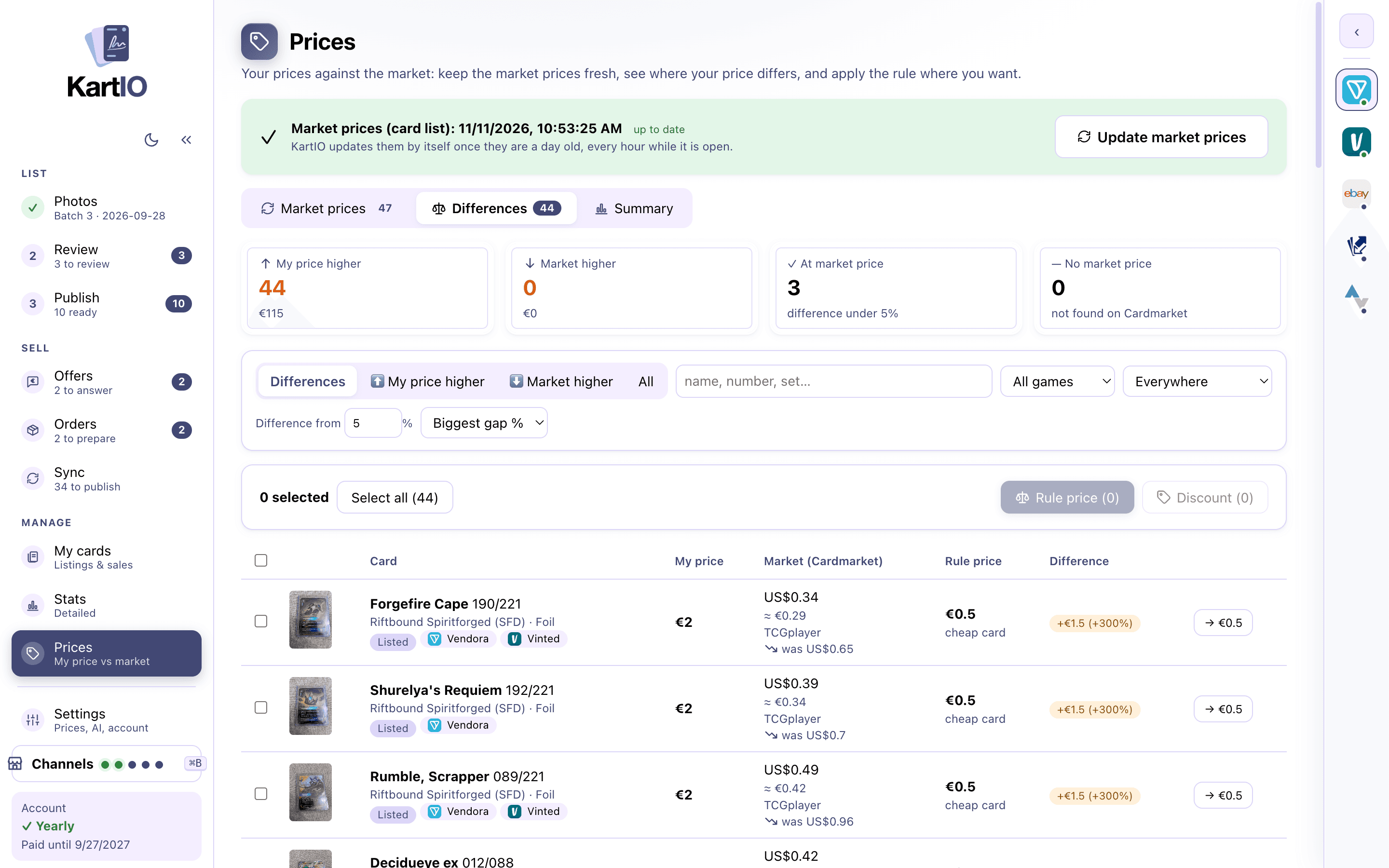
The sync brings back sales and changes, and a sold card comes down from the other platforms. In Prices you see what changed on the market and fix prices in bulk, with a preview.
Get started in minutes
Create an account and start the free trial
Download the KartIO Launcher and sign in
The Launcher installs the AI and KartIO
Choose your country and platforms, and log in to each one once, inside the app
Every platform you sell on, managed from one app
Create an account and try KartIO free for 7 days. You are not charged if you cancel before the trial ends.