Your card inventory across every platform, organised by game and set
Every card from every batch on one screen: which platforms it is listed on, at what price, what it is worth, what sold and what you earned.
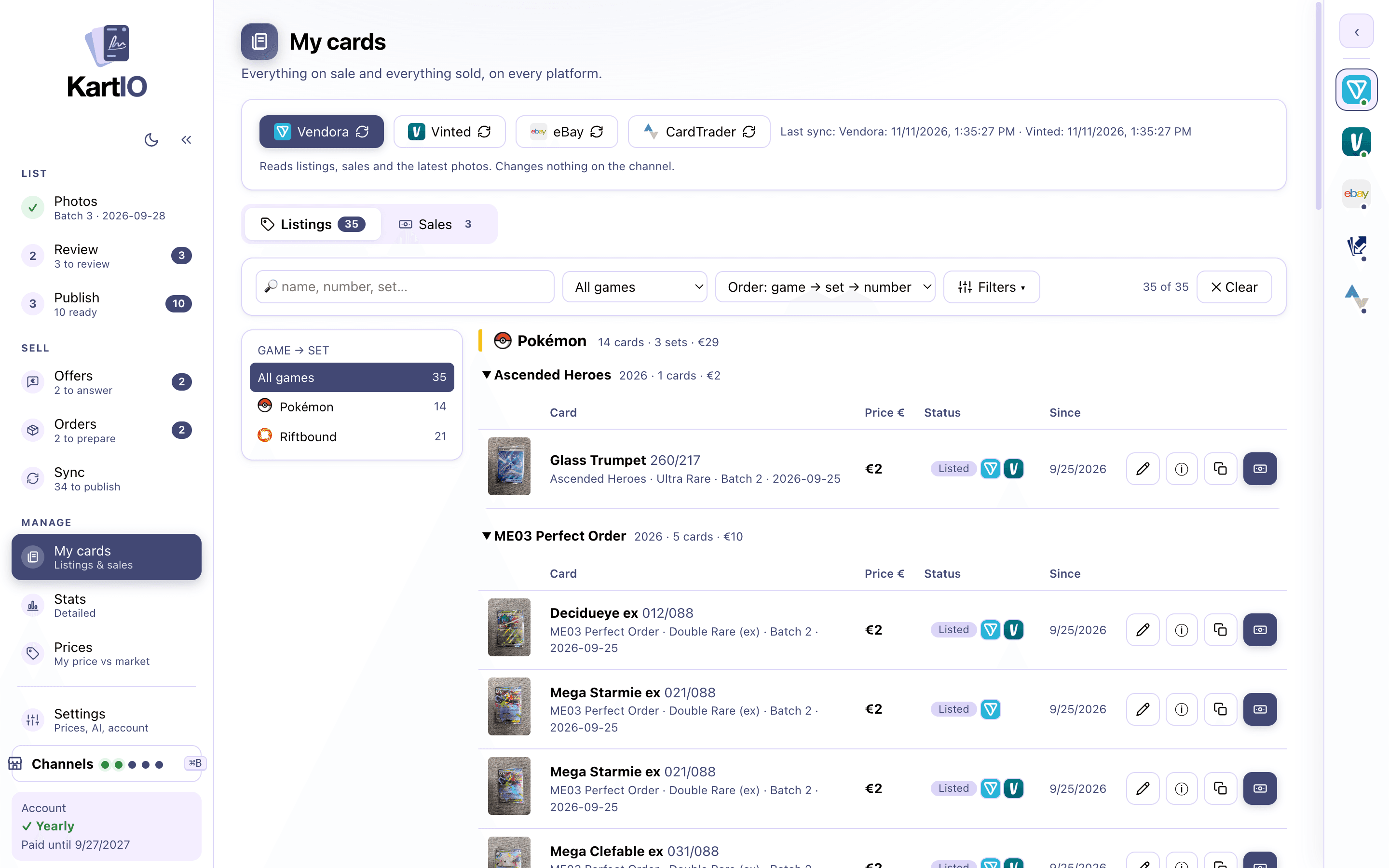
Game → set, with totals
A tree on the left and groups per set with count and total value. You find any card in seconds.
- Search by name, number, set
- Filters: game, set, status, rarity, batch, platform, singles/bundles, price range
- Per card: open on each platform, change price, hide, mark as sold
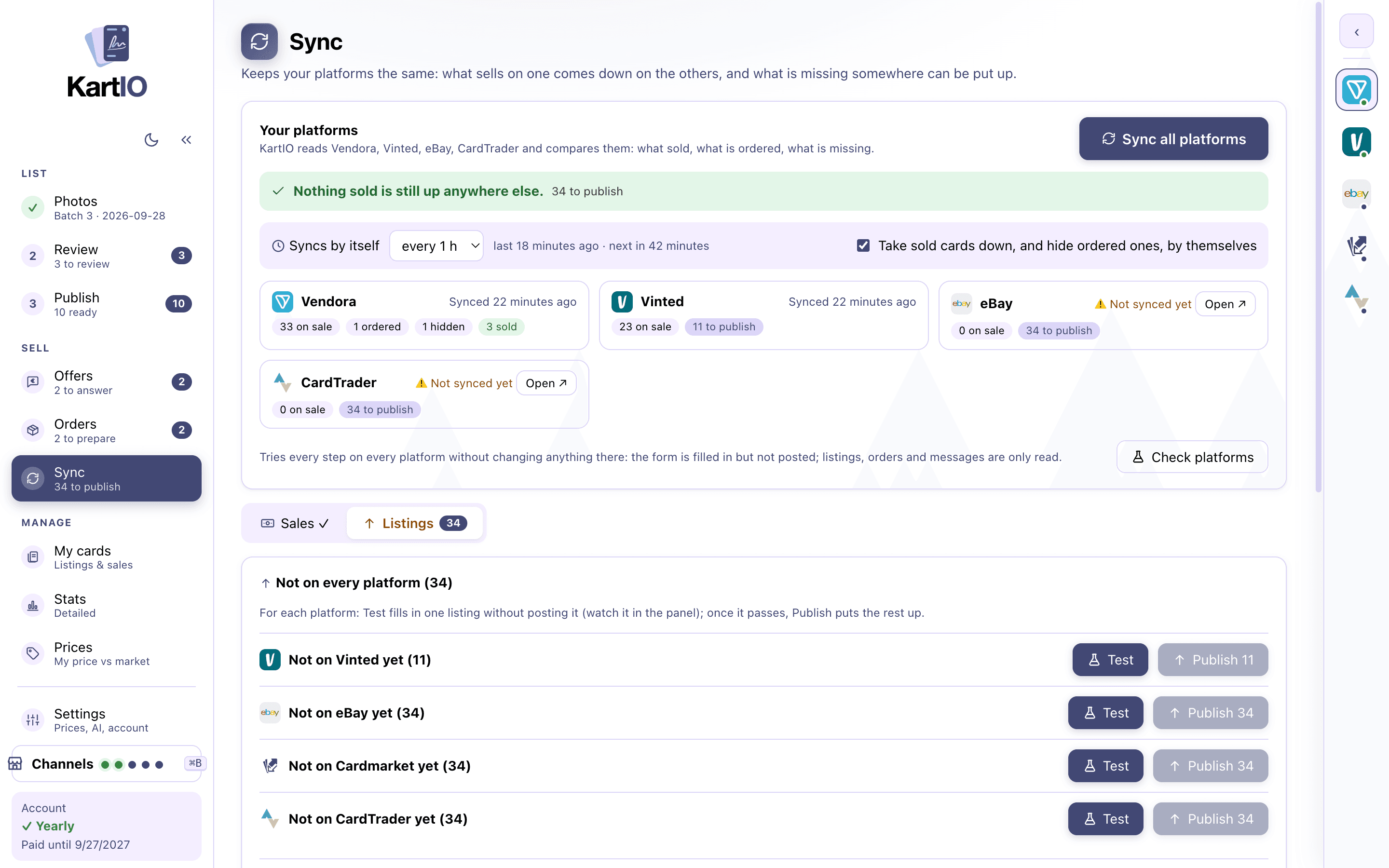
Sold on one, down from the others
The sync brings sales and orders back every hour, or you mark a card sold by hand. An ordered card is hidden on the other platforms at once, a sold one taken down, and KartIO warns you if the same card sold twice.
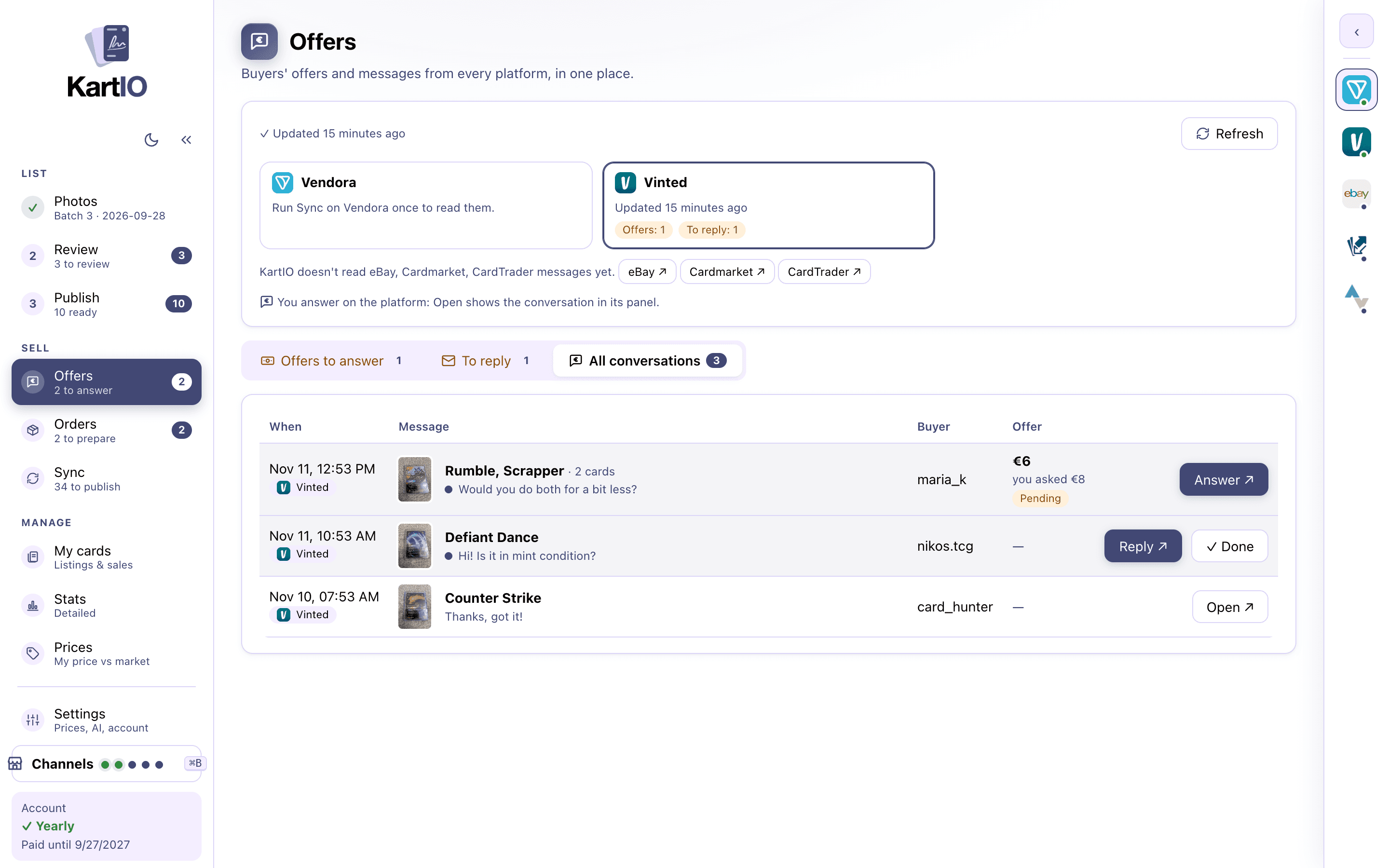
Orders and offers from every platform
Orders lists what to prepare, what is on the way and what is done on all your platforms, with the courier, parcel size, send-by date and tracking code. Offers gathers buyers’ offers and messages still waiting for you; you answer in the platform’s own panel.
- To prepare first, sorted by send-by date
- Bundles show every card in the parcel
- Copy the tracking code or open the voucher in one click
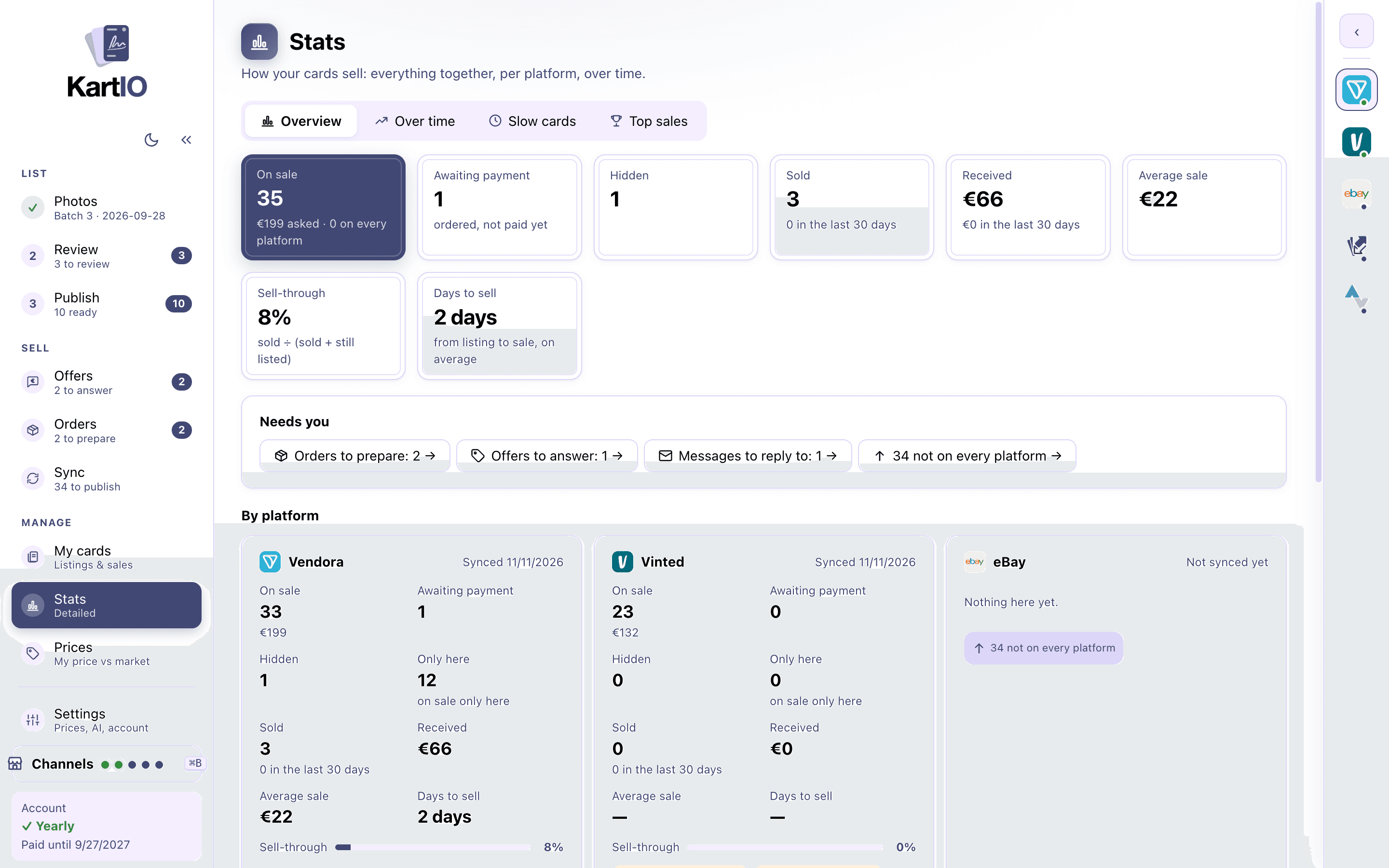
Stats per platform
Stock, sales, income, average sale, sell-through and days to sell: together, per platform and month by month, with the cards that are slow to sell and your top sales.
Excel export
Each batch exports to an Excel file: cards, prices, bundles, and one ID column per platform. For accounting, stocktaking or sharing.
Your data stays yours
Cards, photos, database and Excel files are kept in a folder in your Documents. They are never deleted, not even if the subscription ends, and you move them to another computer by copying the folder.
FAQ
Can I add cards the AI does not recognise?
Yes. You can correct the name and number by hand, and listings made outside the app come in through the sync.
What happens to my data if I cancel?
It stays on your computer, in your Documents. The app locks until you renew, but nothing is deleted.
See also
Channel manager
List the same card on every platform, each in its own language and format, kept in sync: sales come back and a sold card comes down everywhere.
Learn more →Listings from a photo
AI reads name, number, set, rarity, variant and language, and on sports cards the parallel, serial number and slab grade. Free, on your computer.
Learn more →Automatic prices
Trading card prices synced with the latest Cardmarket, TCGplayer and eBay market prices, in your currency, with your own pricing rules on top.
Learn more →Every platform you sell on, managed from one app
Create an account and try KartIO free for 7 days. You are not charged if you cancel before the trial ends.