One inventory on every platform you sell on, kept in sync
KartIO is a channel manager for cards: the same card goes to as many platforms as you like, each listing is written in that platform’s language and format, sales come back to one place, and a sold card comes down from the others.
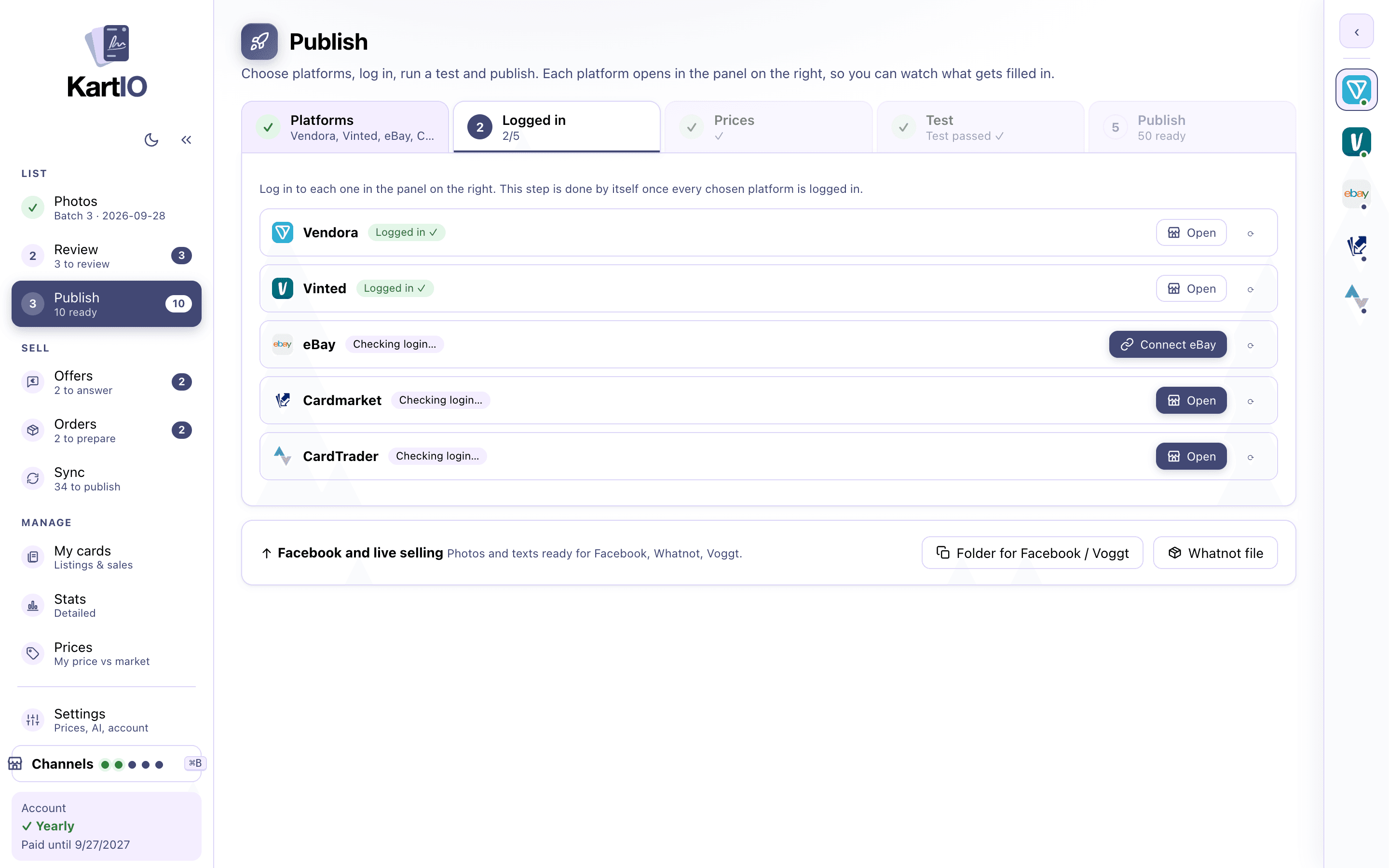
Every listing written and published for you
Tick the platforms and press Publish. eBay and CardTrader are published through their official APIs; Vinted, Cardmarket and TCGplayer open in a side panel inside the app, and KartIO fills in each form while you watch.
- eBay (ebay.com): your account connected once, item specifics, eBay’s card conditions, graded cards with grader and grade
- Vinted: your country’s site, the trading cards category, brand per game, condition
- Cardmarket and CardTrader: the exact product, condition and card language, in euros
- TCGplayer (US): the exact product and condition, in dollars
- Five steps: platforms, login, prices, test and publish; the test tells you which card it tried and what to fix
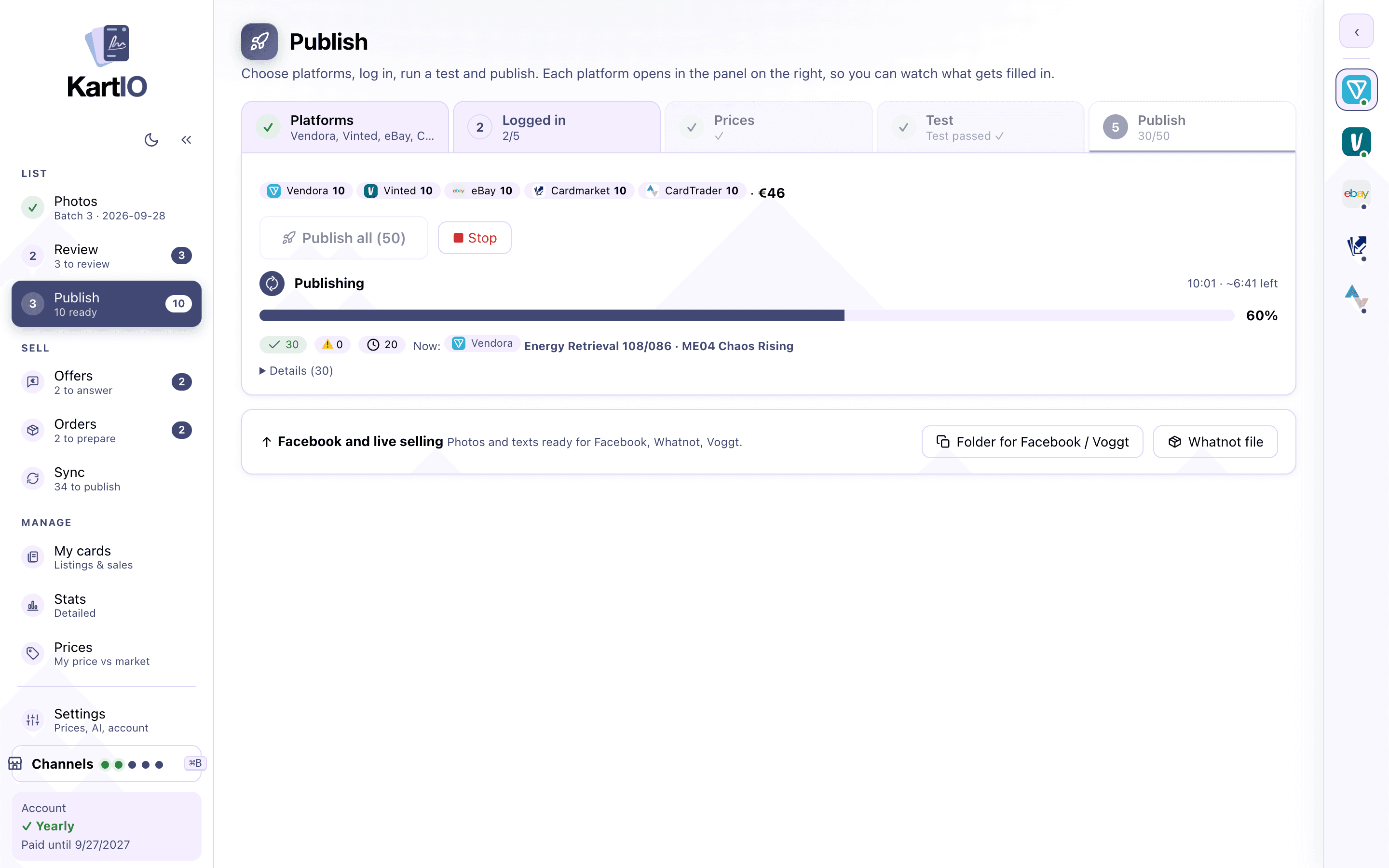
Facebook, Whatnot and Voggt: ready to post
Facebook does not allow automated posting, and live shows sell cards on air. For them KartIO makes a folder with the photos numbered per card and every text, plus a Whatnot bulk-listing file, so posting takes a paste.
Sync and overselling protection
Sync reads your listings, sales and orders on every platform, every hour by itself or with one button. When a card is ordered on one platform it is hidden on the others at once, and when it sells its other listings come down.
- Sold cards with amount and date, orders, hidden listings
- Price changes you made directly on the site
- Deleted or ended where the platform allows, hidden where it can only hide
- Listed for you to remove by hand where KartIO cannot reach (Cardmarket, TCGplayer)
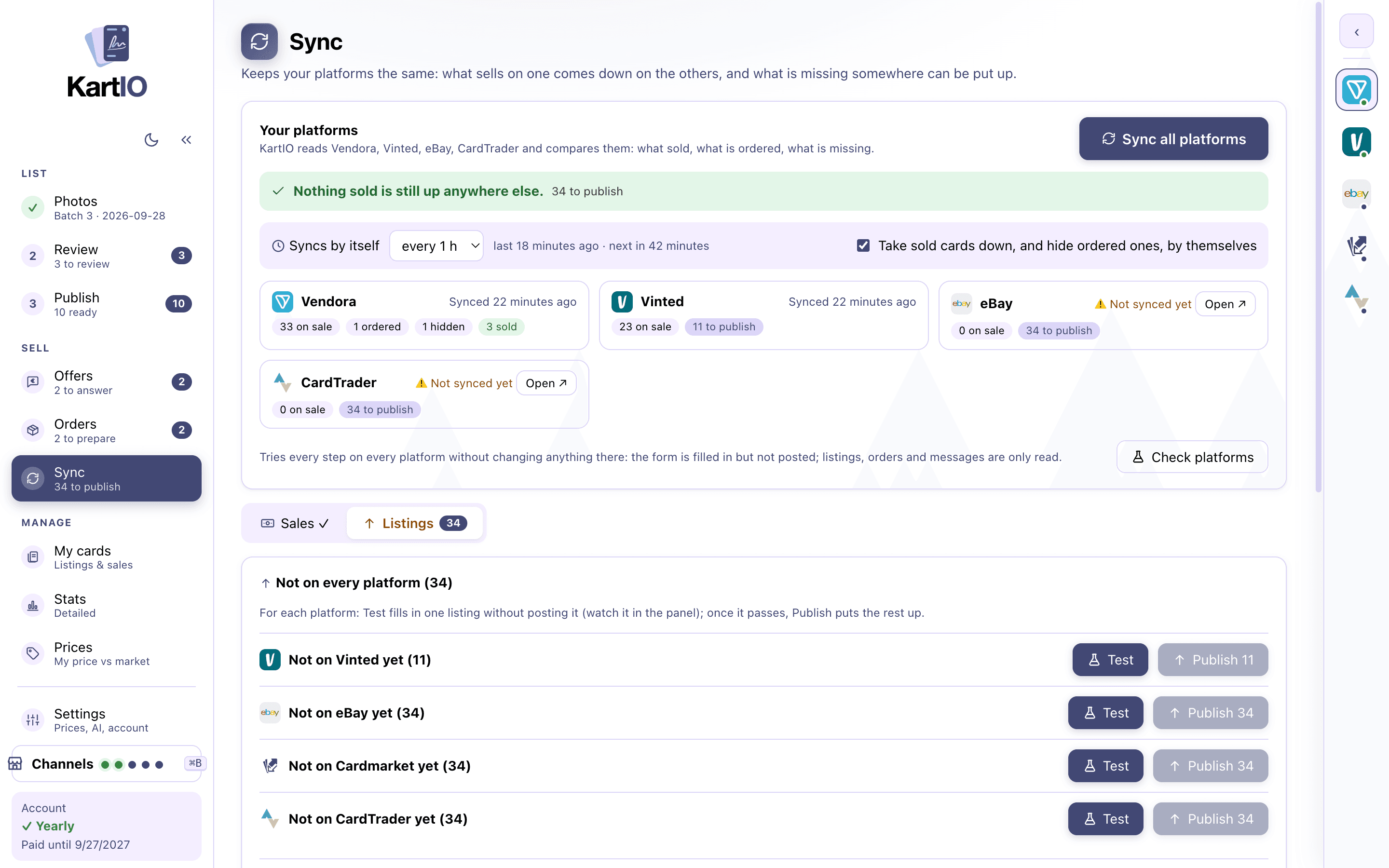
Manage every platform from one place
In My cards you see which platforms each card is on and at what price. Open, change the price, hide or delete per platform, without hunting for the listing.
- One "Active" number per platform
- A card already on one platform can be published to the others
- Each site keeps its own login; passwords are never stored
- Edit a listed card and KartIO updates its Vendora listing, changing only the details you corrected
What KartIO does on each platform
| Publish | Price / hide | Delete | Sync | |
|---|---|---|---|---|
| eBay | ✓ | ✓ (hide = end) | ✓ | Listings and sales |
| Vinted | ✓ | ✓ | ✓ | Listings |
| CardTrader | ✓ (TCG) | Price | ✓ | Listings and orders |
| Cardmarket | ✓ (TCG singles) | – | – | – |
| TCGplayer | ✓ (TCG) | – | – | – |
FAQ
Does KartIO see my passwords?
No. You log in once inside each platform’s panel, like in a browser, or connect eBay on its own sign-in page. KartIO never stores a password.
Can the same card be on several platforms?
Yes, that is the point. Each card keeps one record per platform (listing, price, status). When it sells on one, KartIO takes it down from the others.
Which platforms are there in my country?
Vinted, eBay, Cardmarket and CardTrader in the UK, Ireland and across Europe; eBay, TCGplayer and CardTrader in the US. Some countries also get their big local marketplace: the "Where to sell" page lists every country.
Are sports cards listed on Cardmarket?
No. Cardmarket, CardTrader and TCGplayer only sell trading card games, so KartIO sends sports cards only to the platforms that take them, such as eBay and Vinted.
See also
Listings from a photo
AI reads name, number, set, rarity, variant and language, and on sports cards the parallel, serial number and slab grade. Free, on your computer.
Learn more →Automatic prices
Trading card prices synced with the latest Cardmarket, TCGplayer and eBay market prices, in your currency, with your own pricing rules on top.
Learn more →Inventory & sync
Every card by game and set, where it is listed and at what price. Sales come back and sold cards come down from the other platforms. Excel export.
Learn more →Every platform you sell on, managed from one app
Create an account and try KartIO free for 7 days. You are not charged if you cancel before the trial ends.